
 Bifrost Docs
Bifrost depth maps
Rendering with RenderParams.RgbWithDepth() will return depth maps in the
downloaded dataset. See Render images for more information on
render params.
Parsing depth maps
Bifrost depth maps can be opened with Pillow. To retrieve the depth value of a pixel, convert it to a NumPy array.
import numpy as np
from PIL import Image

depth_image = Image.open("path/to/depth_file.tif")
depth_array = np.array(depth_image)

# depth is in meters from camera
depth_value = depth_array[y, x]
See the following notebook for a step-by-step guide on how to open a Bifrost depth map file and retrieve depth values from the image.
Show Notebook
Reading with Pillow
When the TIF file is opened with Pillow, it is automatically recognized as a 32-bit floating point image with one channel.
We can verify this with Image.mode, and the value should be F.
See: https://pillow.readthedocs.io/en/stable/handbook/concepts.html#modes
from pathlib import Path

import matplotlib.pyplot as plt
from PIL import Image
rgb_path = Path("515d7757-dbe1-4bb8-a817-a917043aae9c", "RGB_camera_0000.jpg")
depth_path = Path("515d7757-dbe1-4bb8-a817-a917043aae9c", "DepthRaw_camera_0000.tif")

rgb = Image.open(rgb_path)
depth = Image.open(depth_path)
depth.mode
'F'
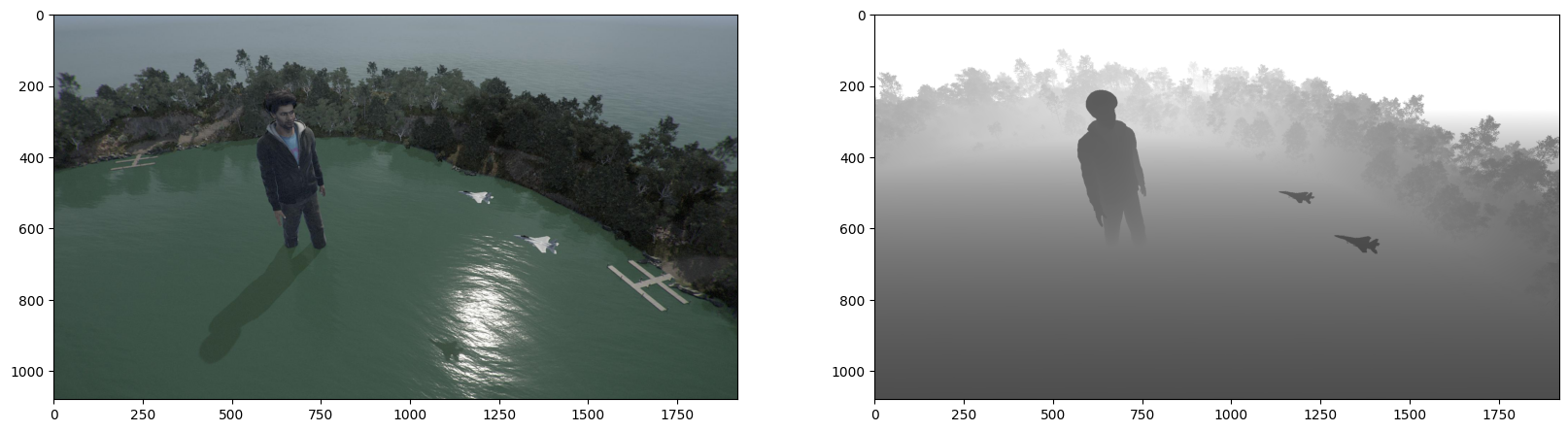
fig, axs = plt.subplots(1, 2, figsize=(20, 8))
axs[0].imshow(rgb)
axs[1].imshow(depth)
<matplotlib.image.AxesImage at 0x21ddfd0b350>
Numpy processing
When we convert the PIL Image into a Numpy array, we get an array of shape (h, w), which is typical of single-channel images. We recommend the PIL -> Numpy method when working with depth images as arrays.
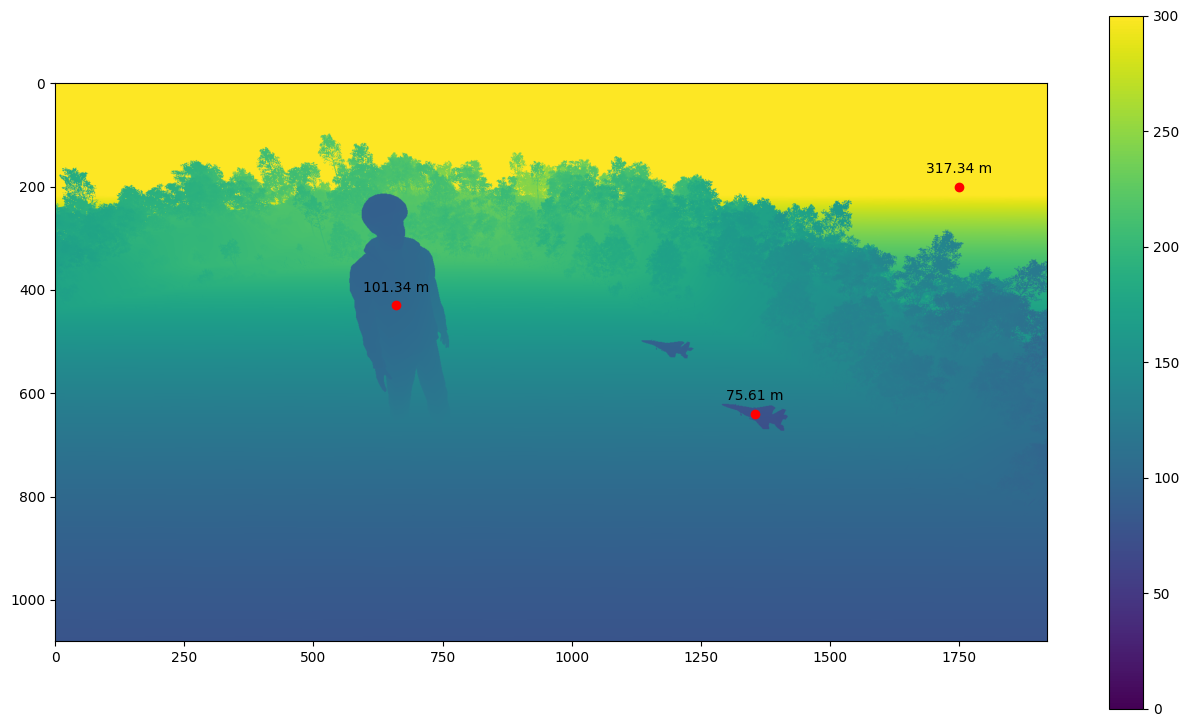
The values of the array are the distances of the camera to the pixels, in meters.
import cv2
import numpy as np
depth_arr = np.array(depth)  # convert from PIL to Numpy
depth_arr.shape
(1080, 1920)
# You can also read with OpenCV, which gives the same array, but our tests use
# the Pillow approach so it is more well-maintained.
cv2_arr = cv2.imread(depth_path, cv2.IMREAD_UNCHANGED)
(depth_arr == cv2_arr).all()
True
depth_arr.min(), depth_arr.max()
(72.93363, 1053.069)
plt.figure(figsize=(16, 9))
# clamp to (0, 300) for a more pronounced visualization
plt.imshow(depth_arr, vmin=0, vmax=300)
plt.colorbar()

for x, y in [
    (1355, 640),
    (660, 430),
    (1750, 200),
]:
    plt.annotate(
        f"{depth_arr[y, x]:.2f} m",
        (x, y),
        textcoords="offset points",
        xytext=(0, 10),
        ha="center",
    )
    plt.plot(x, y, "ro")
Maximum depth value
The maximum depth value in Bifrost depth maps is 1,000,000 meters. This value most frequently occurs when the sky is visible in the image, as the sky has no finite depth from the camera’s perspective.