
 Bifrost Docs
Ocean gradient
In thermal imaging, distant water surfaces typically appear cooler (darker) than water closer to the camera.
Ocean gradient controls
To reproduce this distance based darkening effect, adjust the following controls:
Note

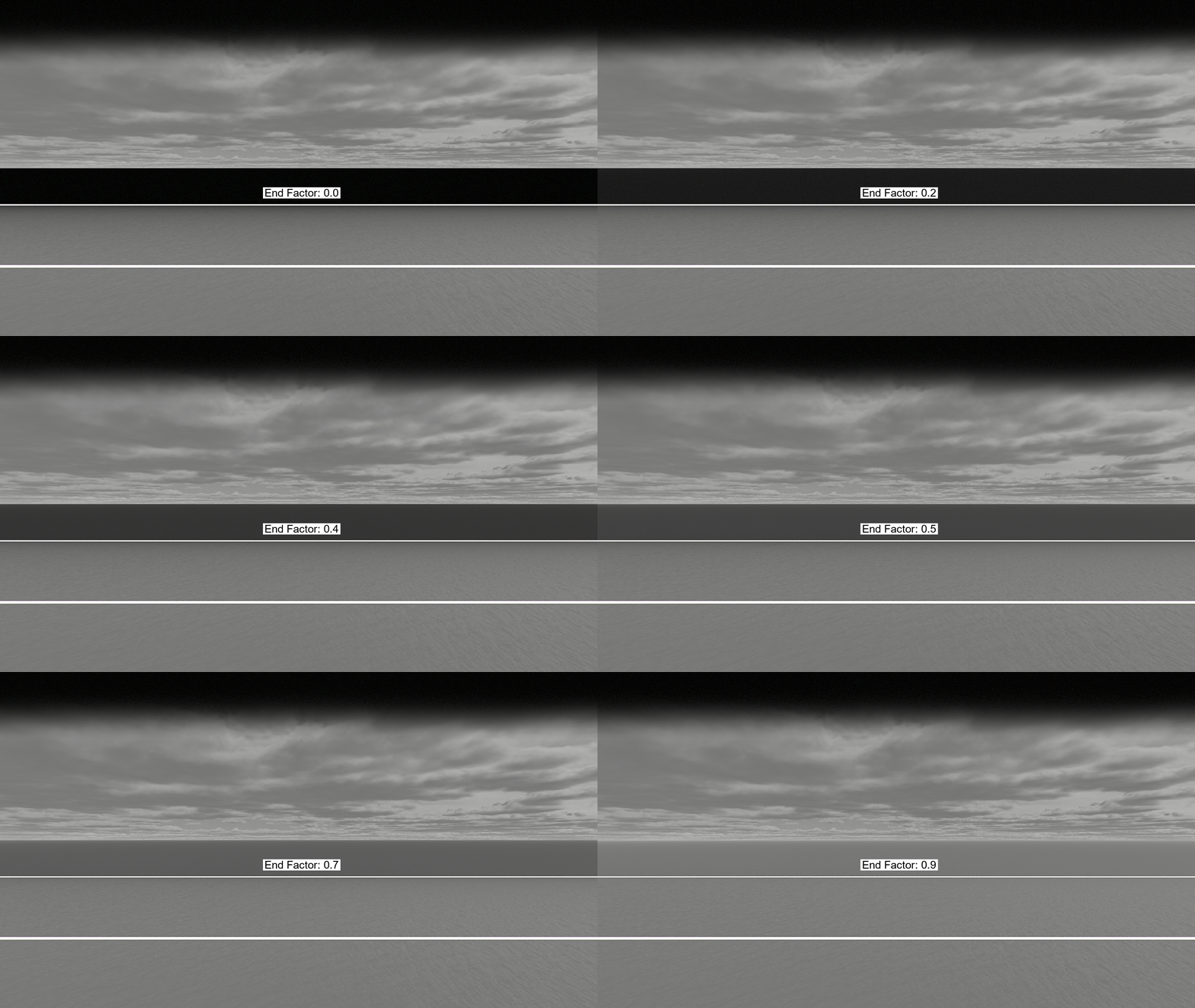
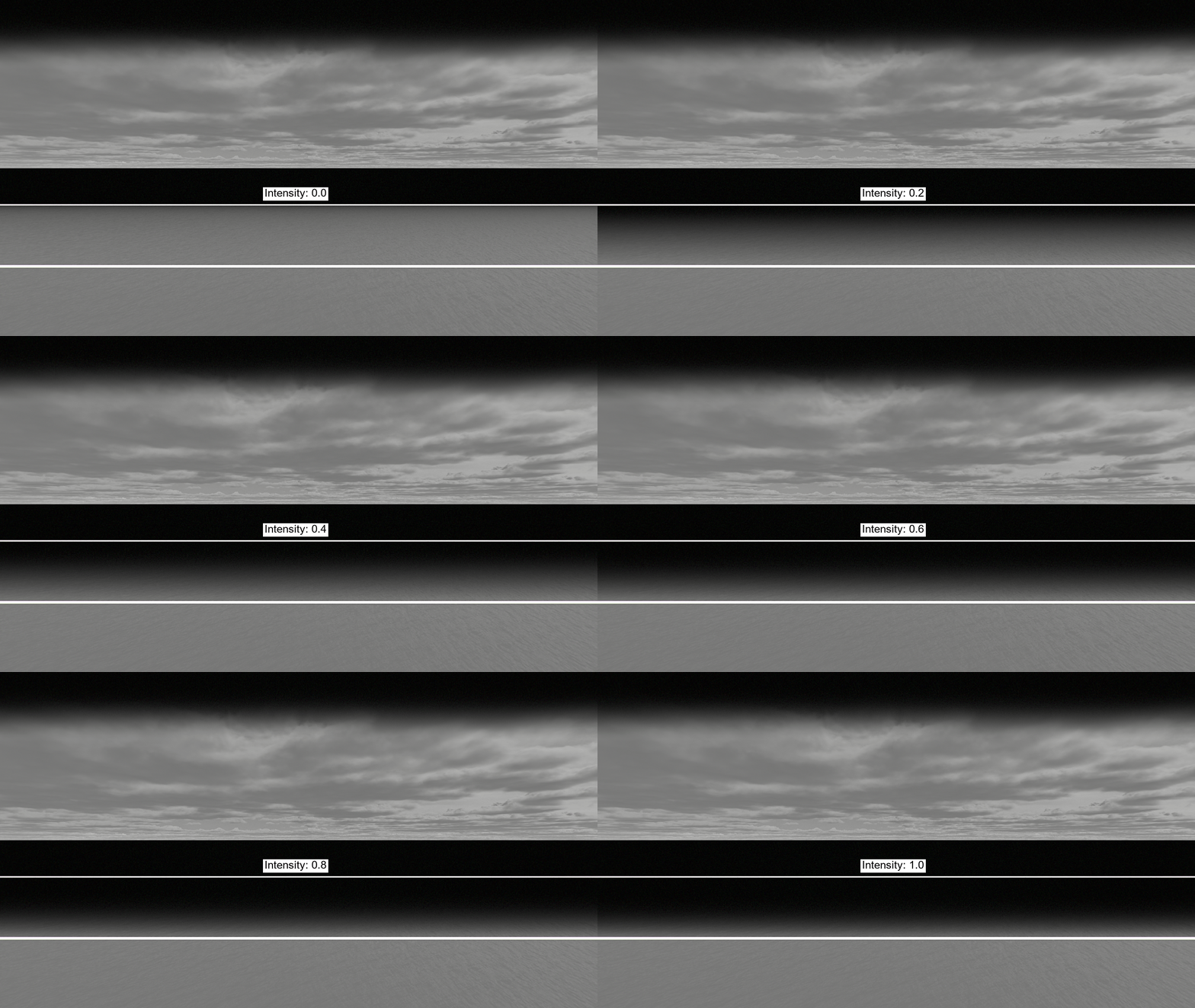
The white lines in the GIFs are only for visualization and indicate the start and end distances of the gradient.
The cameras are positioned at Vector3(0, 0, 100) and looking forward at Vector3(0, 0, 0) in the GIFs.
-
Defines the start and end distances (in meters) over which the gradient is applied. Between these distances, the ocean’s heat signature gradually darkens relative to the camera’s projected ground position.
Code for varying ocean gradient distances
world.camera.thermal.set_ocean_gradient_distances(start=..., end=...)
world.camera.thermal.set_ocean_gradient_end_factor(0)
world.camera.thermal.set_ocean_gradient_intensity(0.5)
-
Specifies how much darker the water becomes at (and beyond) the end distance. This value ranges from 0 to 1 and acts as a multiplier on the ocean’s temperature value.
Code for varying ocean gradient end factor
world.camera.thermal.set_ocean_gradient_distances(start=300, end=800)
world.camera.thermal.set_ocean_gradient_end_factor(...)
world.camera.thermal.set_ocean_gradient_intensity(0)
-
Controls the overall strength of the gradient effect. This value ranges from 0 to 1 and determines how quickly the gradient transitions between the start and end distances.
Code for varying ocean gradient intensity
world.camera.thermal.set_ocean_gradient_distances(start=300, end=800)
world.camera.thermal.set_ocean_gradient_end_factor(0)
world.camera.thermal.set_ocean_gradient_intensity(...)
Keyframing
If you prefer to adjust the ocean gradient settings on a per frame basis, you can keyframe these values directly in a scenario.
scenario.set_keyframe(
   world.camera,
   frame_id=i,
   thermal_ocean_gradient_start_distance=...,
   thermal_ocean_gradient_end_distance=..,
   thermal_ocean_gradient_end_factor=...,
   thermal_ocean_gradient_intensity=...,
 )