
 Bifrost Docs
Prompting for Higher Success Rates
The following recommendations are based on our experience and experimentation with multiple models and techniques.
Basic Prompt Structure
Your prompt is injected into a system prompt that already handles image structure. Object retention is already handled, so write only the change you want.
Choosing Input Images
The best images for Neural Rendering are those that have the subjects in clear view, like this one:
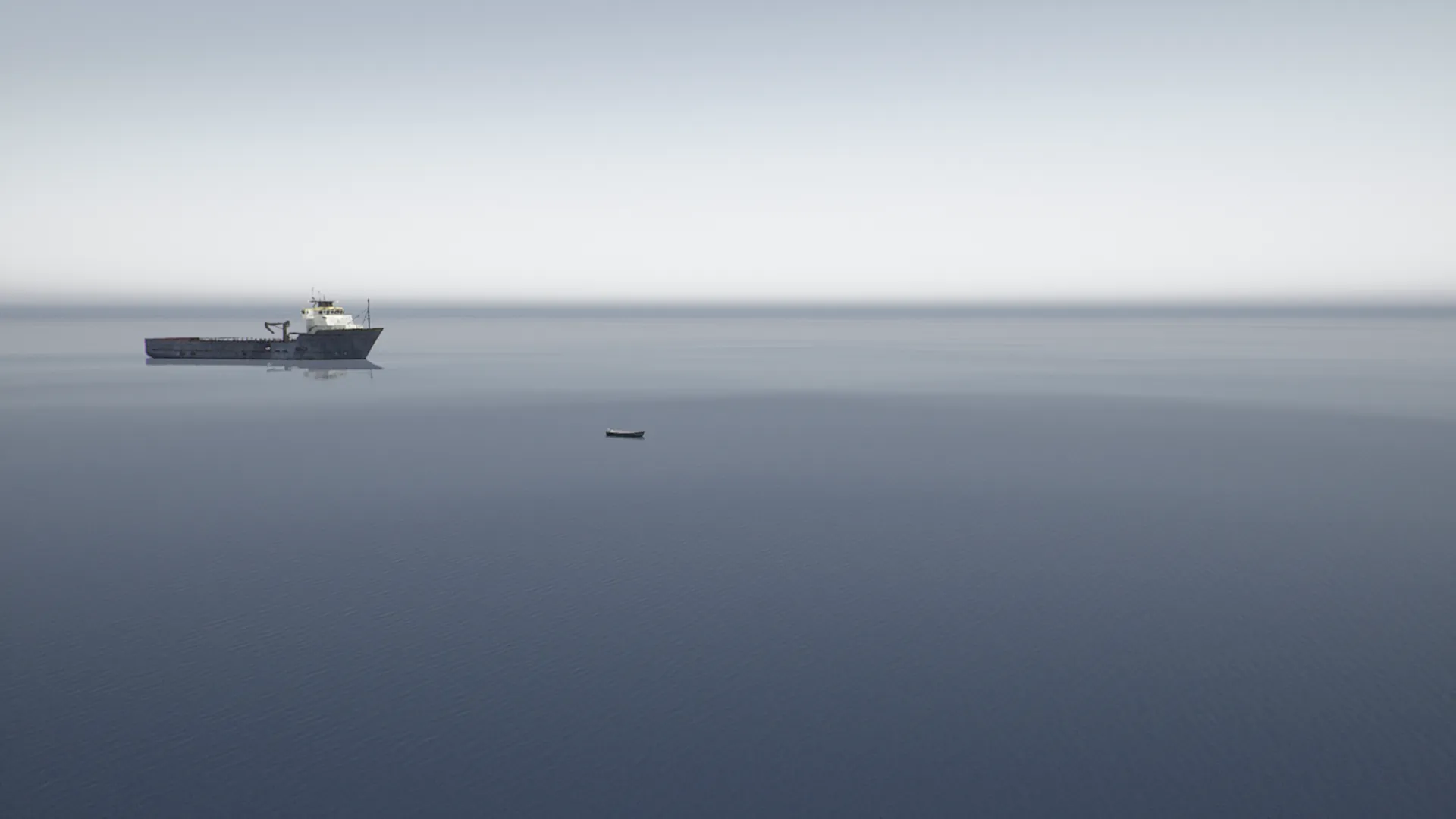
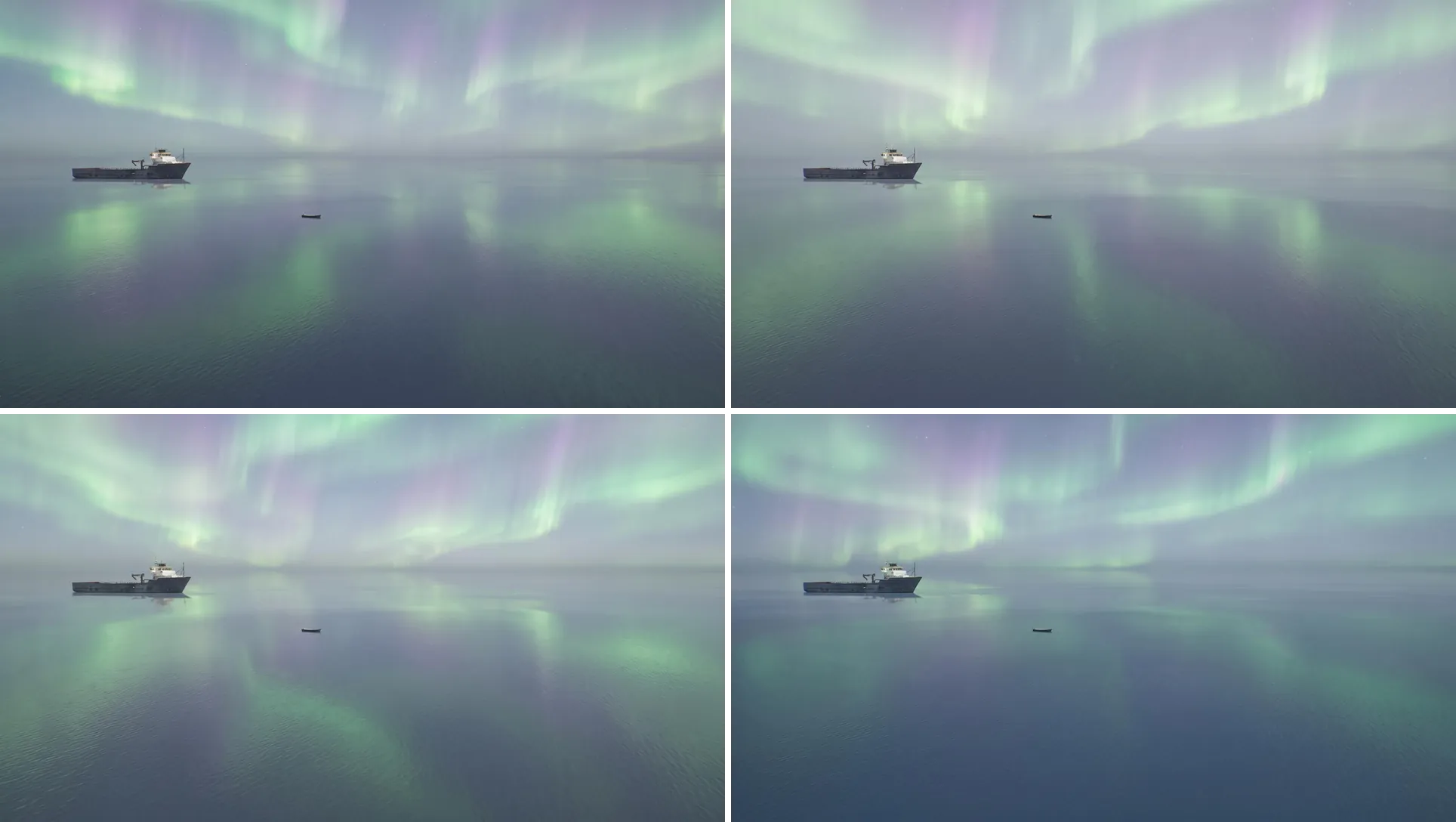
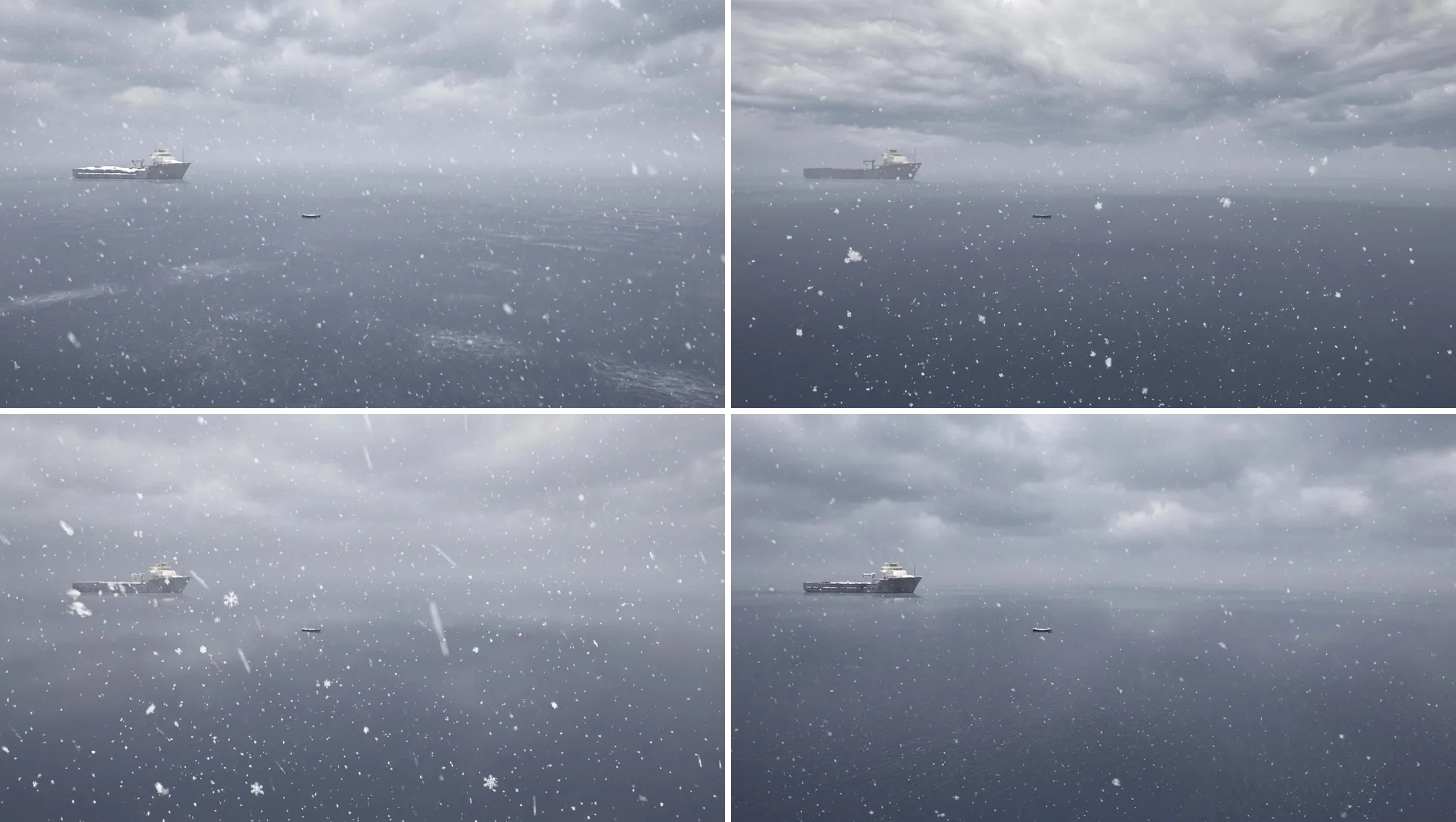
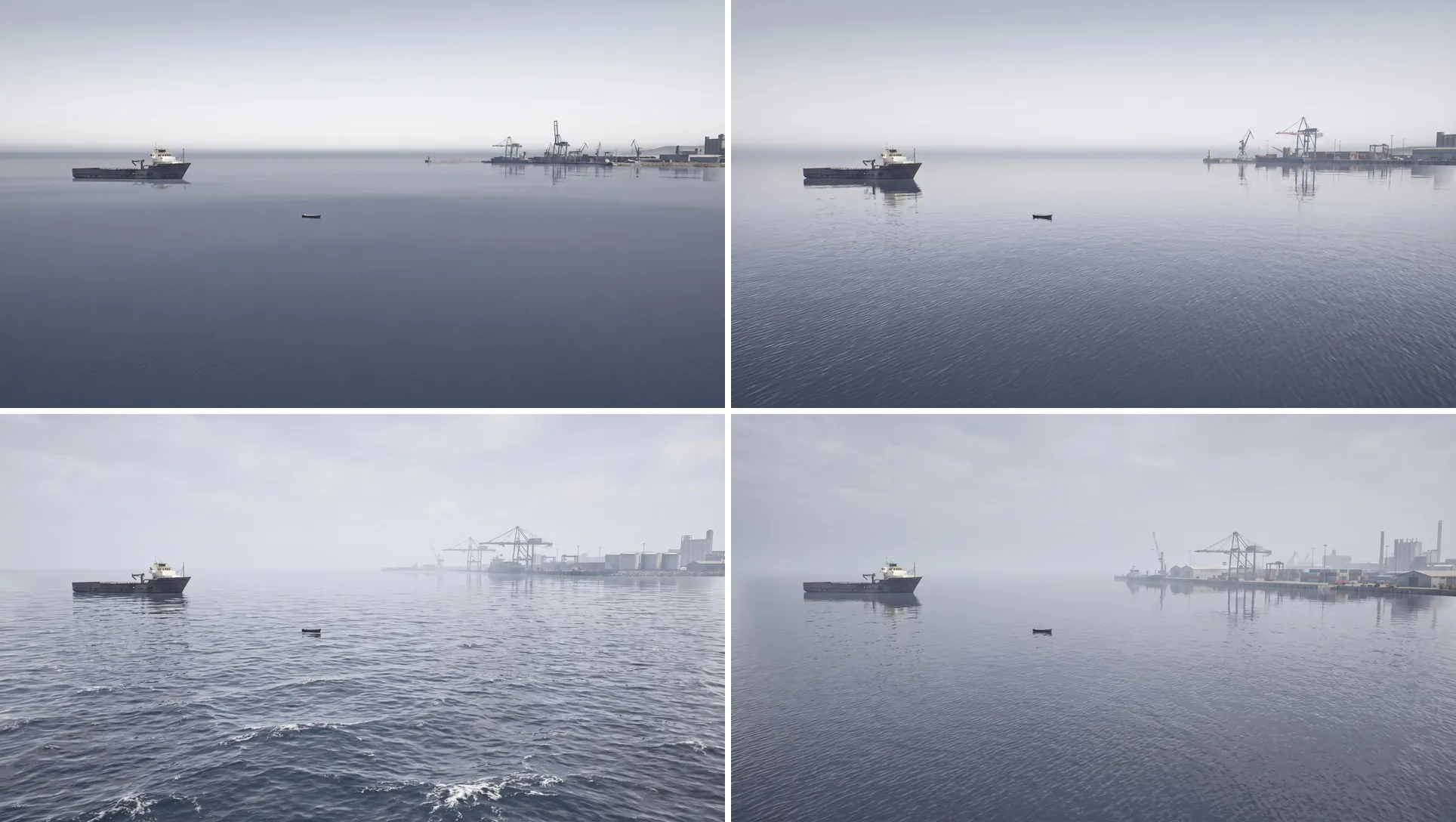
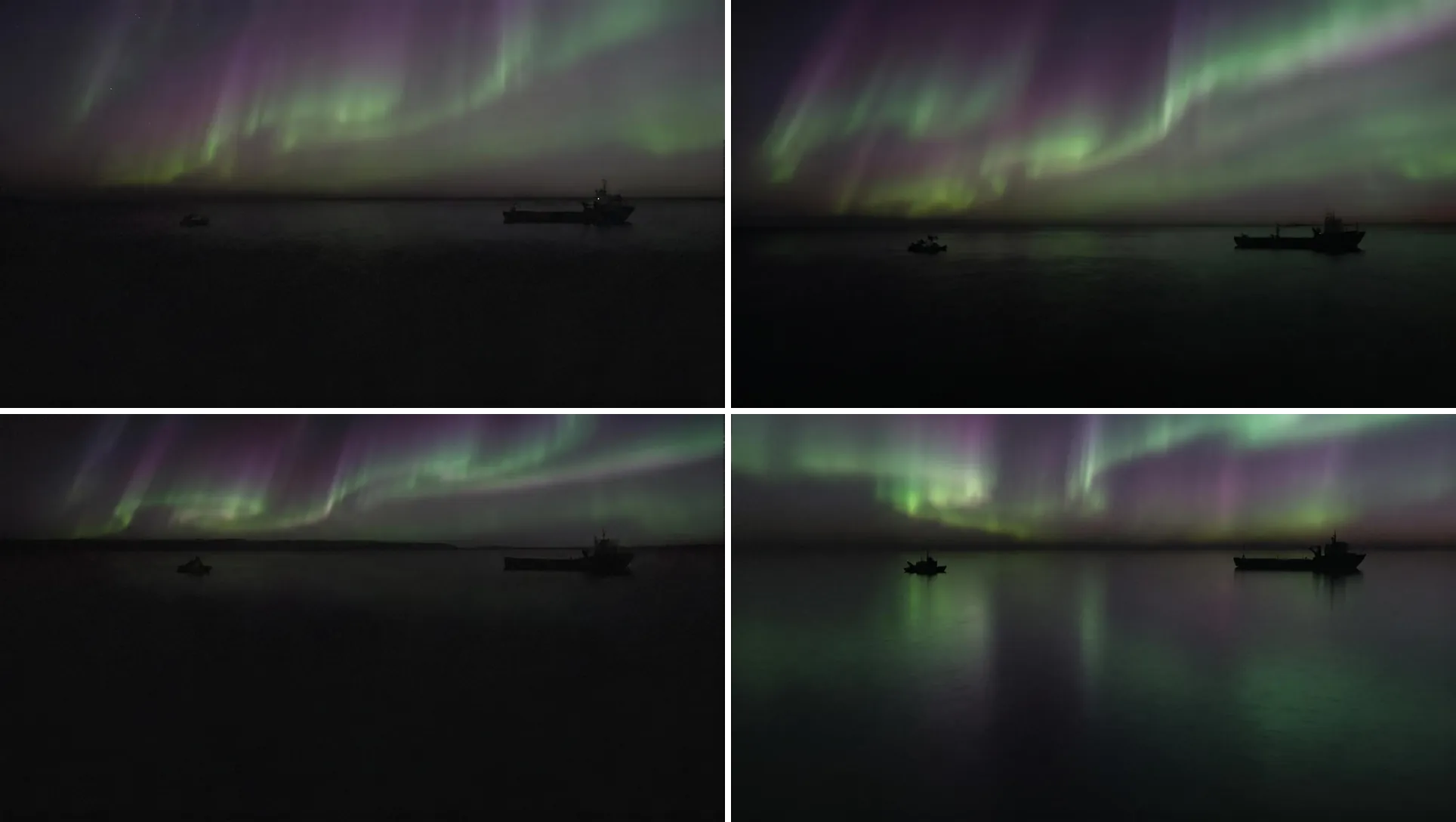
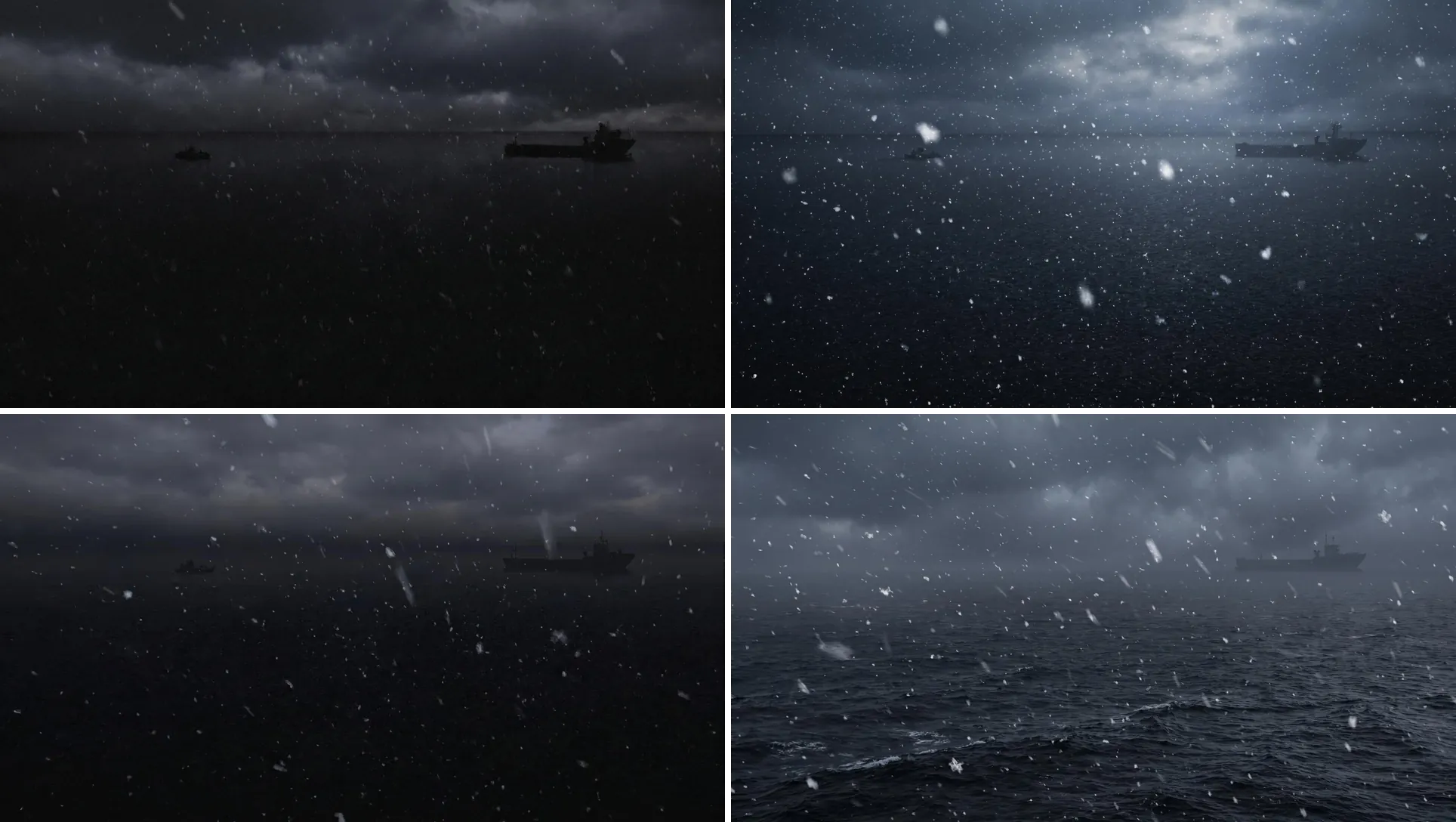
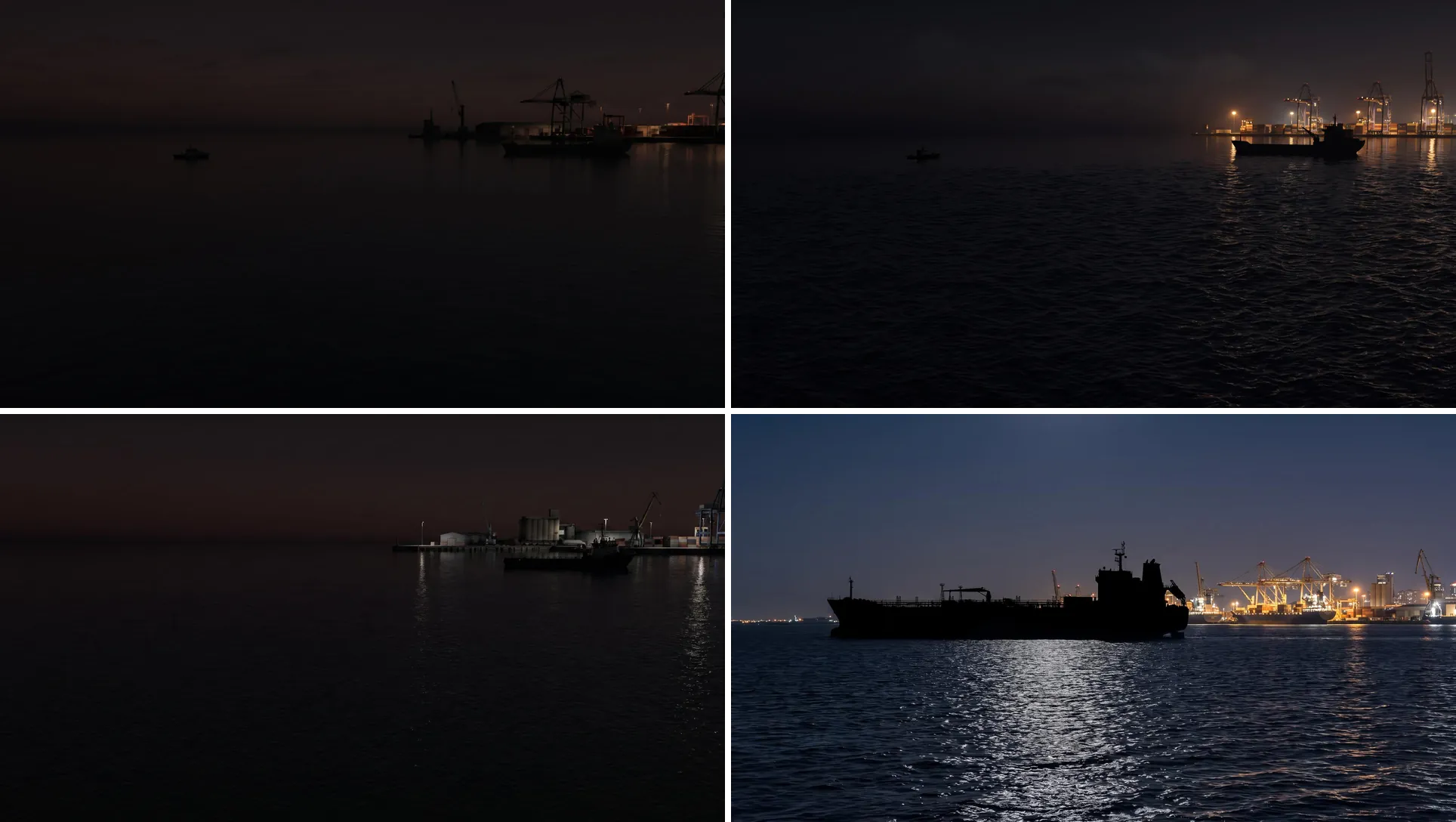
Prompts applied to it produce consistent generations across the board:
Add aurora borealis in the sky as soft, flowing bands of light in green and
purple tones. The aurora should appear only in the sky and remain diffuse
and atmospheric, without forming sharp edges or distinct shapes.
Add snow falling from cloudy skies
Create a port backdrop on the right side of the image
If the subject is heavily occluded or hard to see, NR may end up warping some of the subjects or perspectives in the outputs. The same prompts applied to this dark frame produce far less consistent results:
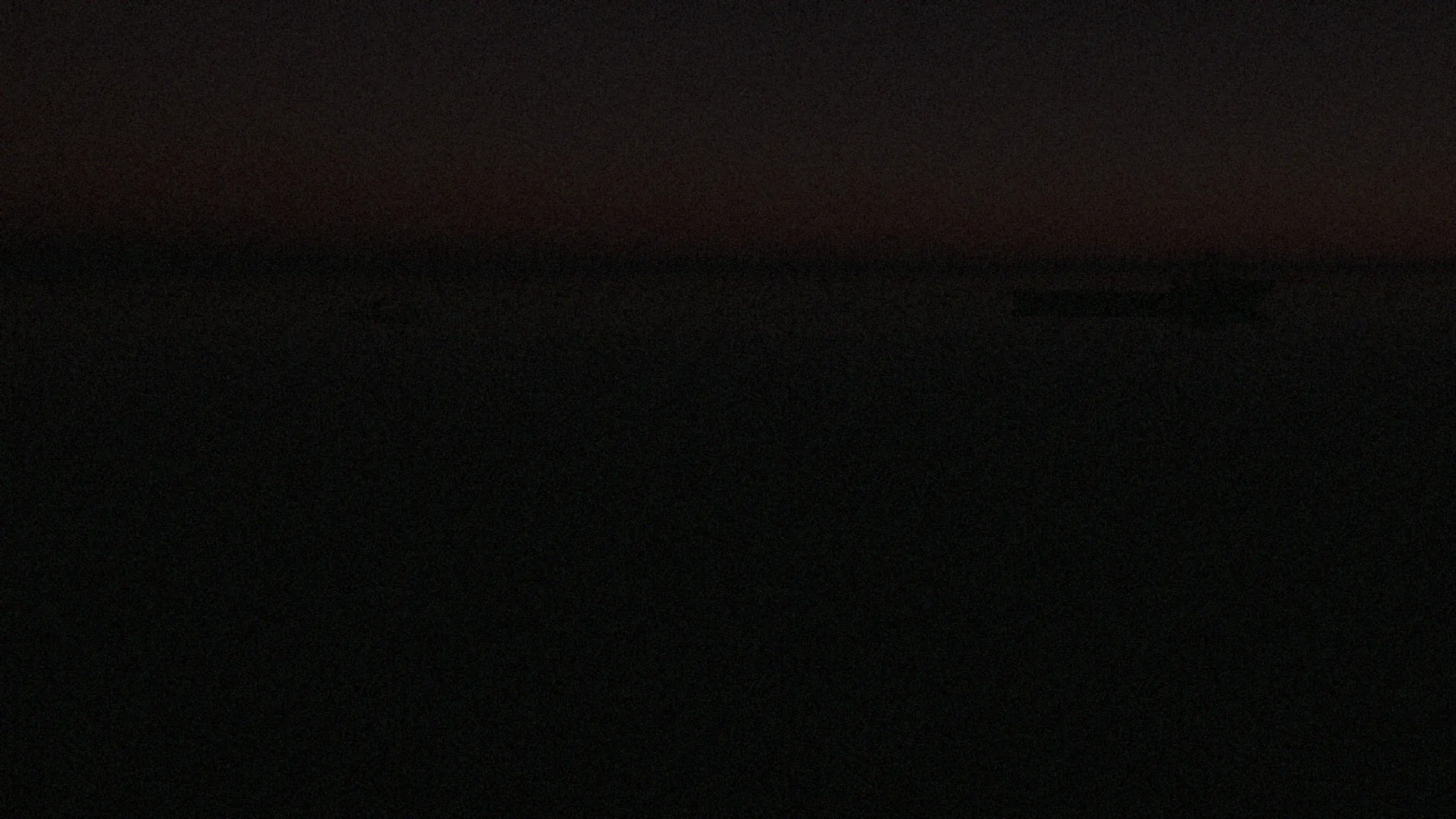
Add aurora borealis in the sky as soft, flowing bands of light in green and
purple tones. The aurora should appear only in the sky and remain diffuse
and atmospheric, without forming sharp edges or distinct shapes.
Add snow falling from cloudy skies
Create a port backdrop on the right side of the image
Be Very Specific on the Changes
If you want to retain certain properties of the image’s environment, you need to specify them in the prompt.
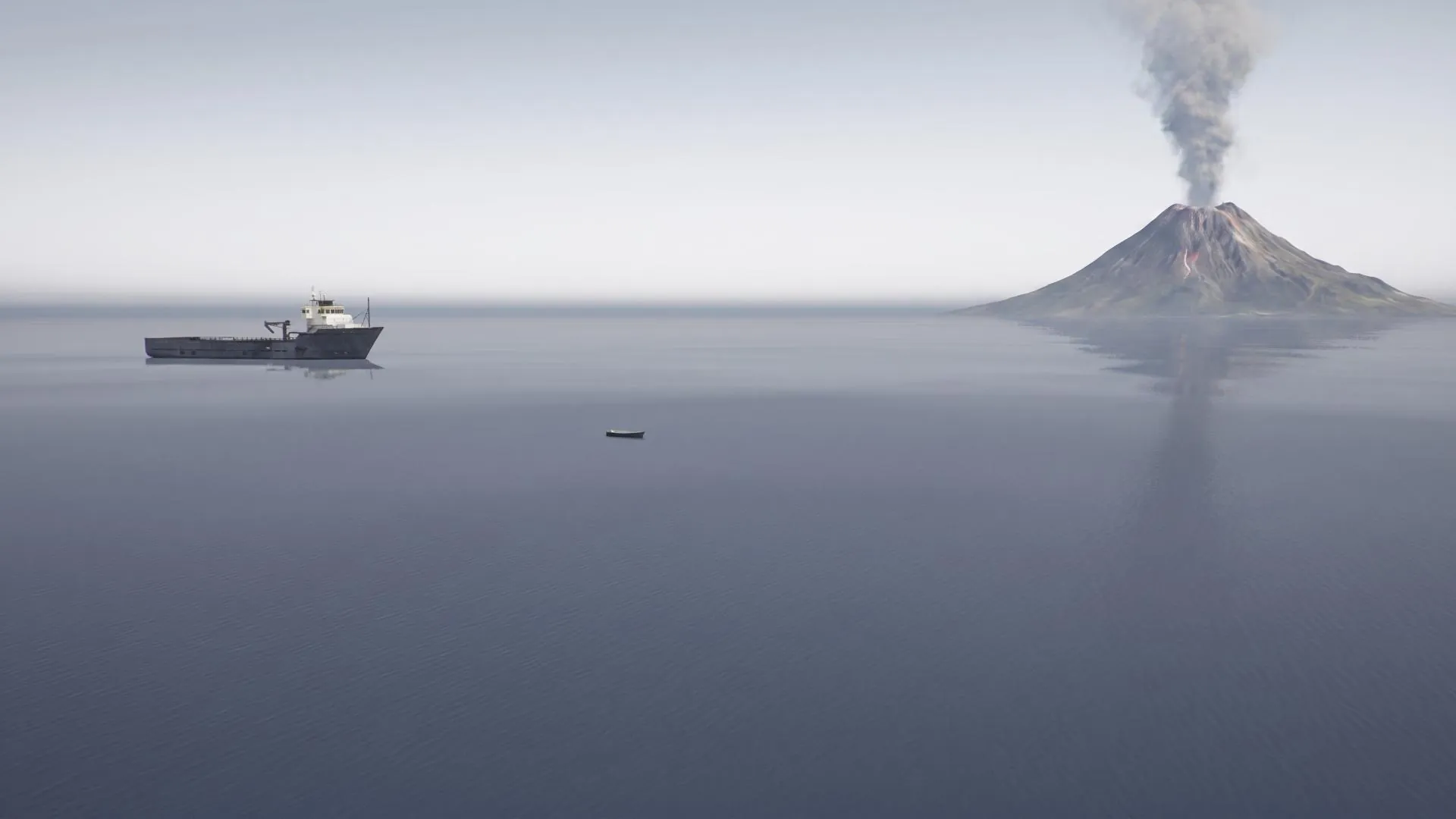
add a giant volcano in the background

while keeping the water still, add a giant volcano in the background

Avoid Adding Subjects
Added subjects are not labelled. Also, if you try to add subjects behind existing subjects, they have a high chance of displacing the original subjects.
Create a volcano in the distance, behind the ships
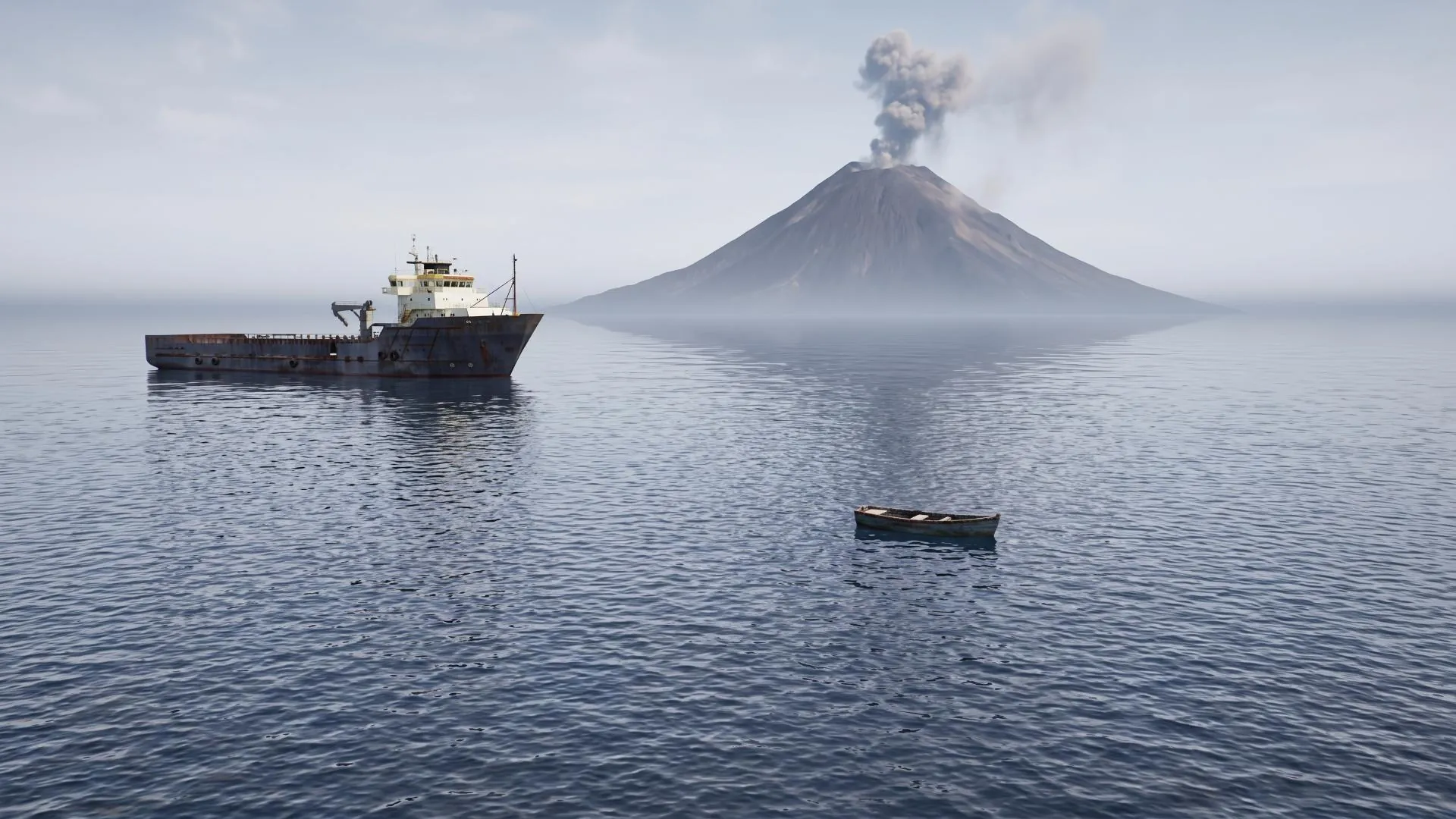
Create a volcano in the distant right side of the image
Avoid Conditionals
The model applies conditionals unreliably. This follows from the specificity rule: it sees pixels, not our asset mappings.
If the ship is big, add a pink triangle on the top of the highest point of
the ship. If the ship is very small, add a green square on the left of the
ship
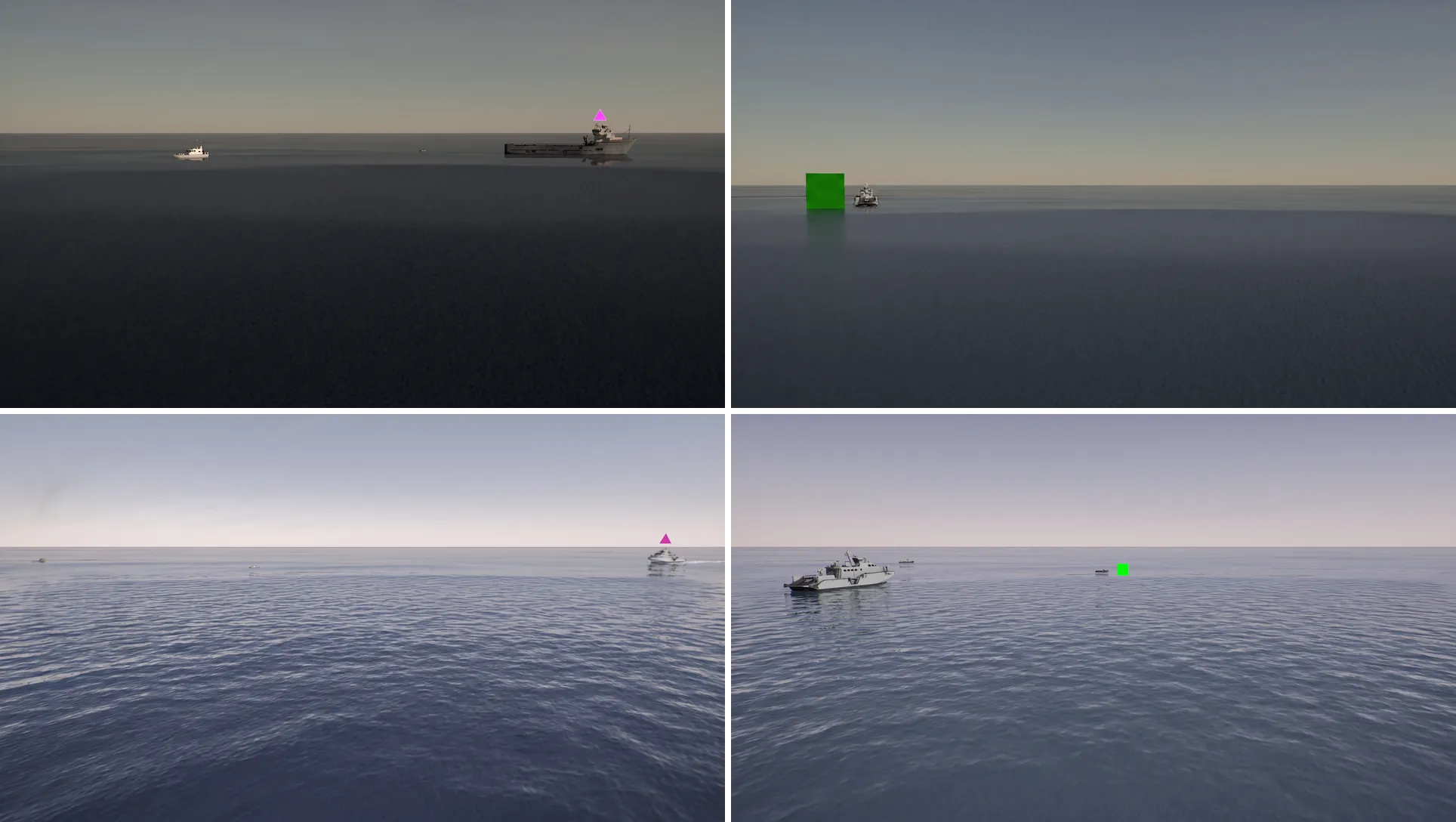
In the above, we apply a conditional. Notice how each image applies only part of the condition: the prompt is only partially adhered to in every generation.