 Bifrost Docs
Controlling rain droplets on sensor
Bifrost supports rain effects and camera lens droplets to simulate wet weather conditions.
Rain is controlled through world.env.weather, while lens droplets are a per-camera
property controlled through camera.screen_droplets. They can be used independently or
together.
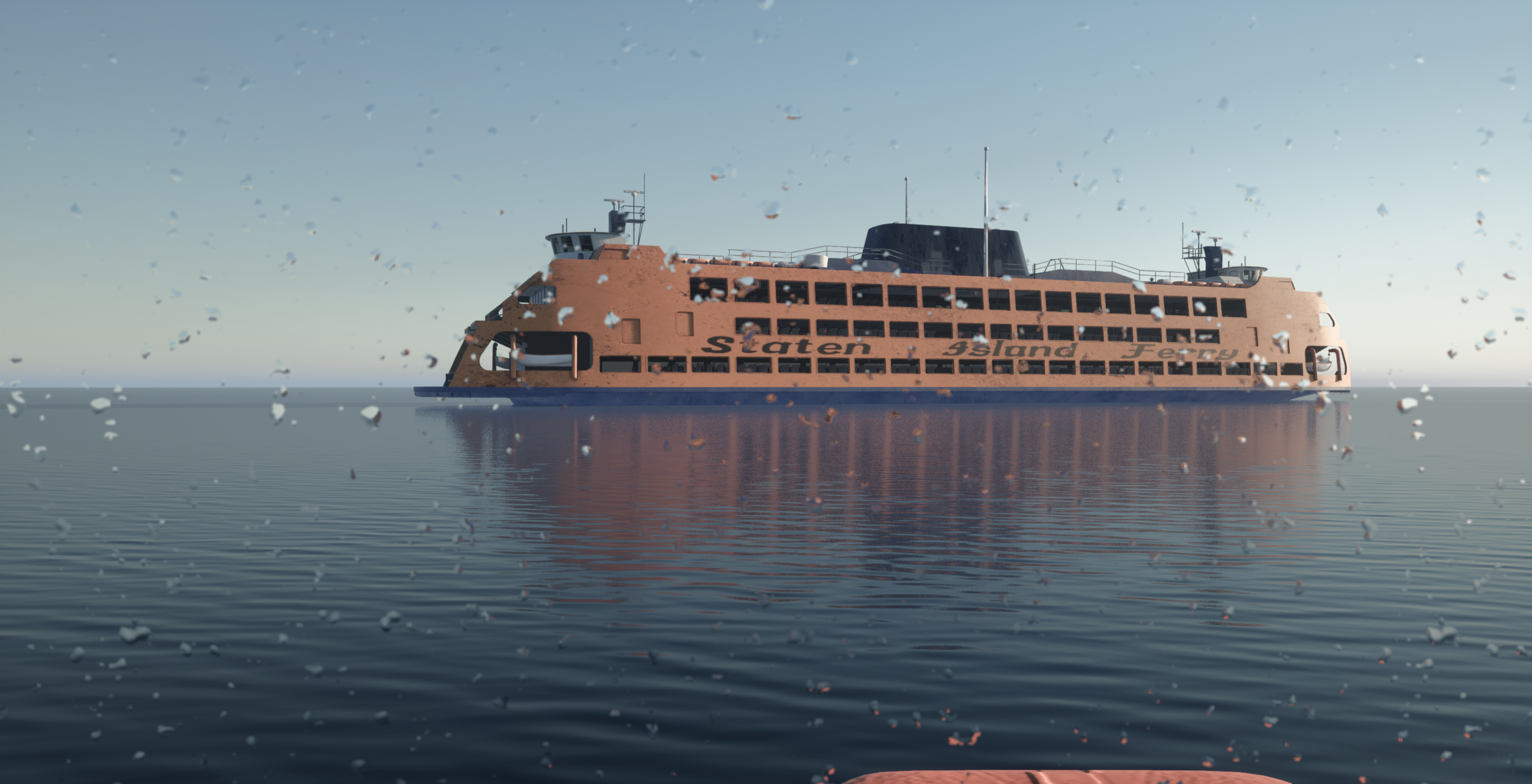
MEDIUM — Small running droplets on the camera lens
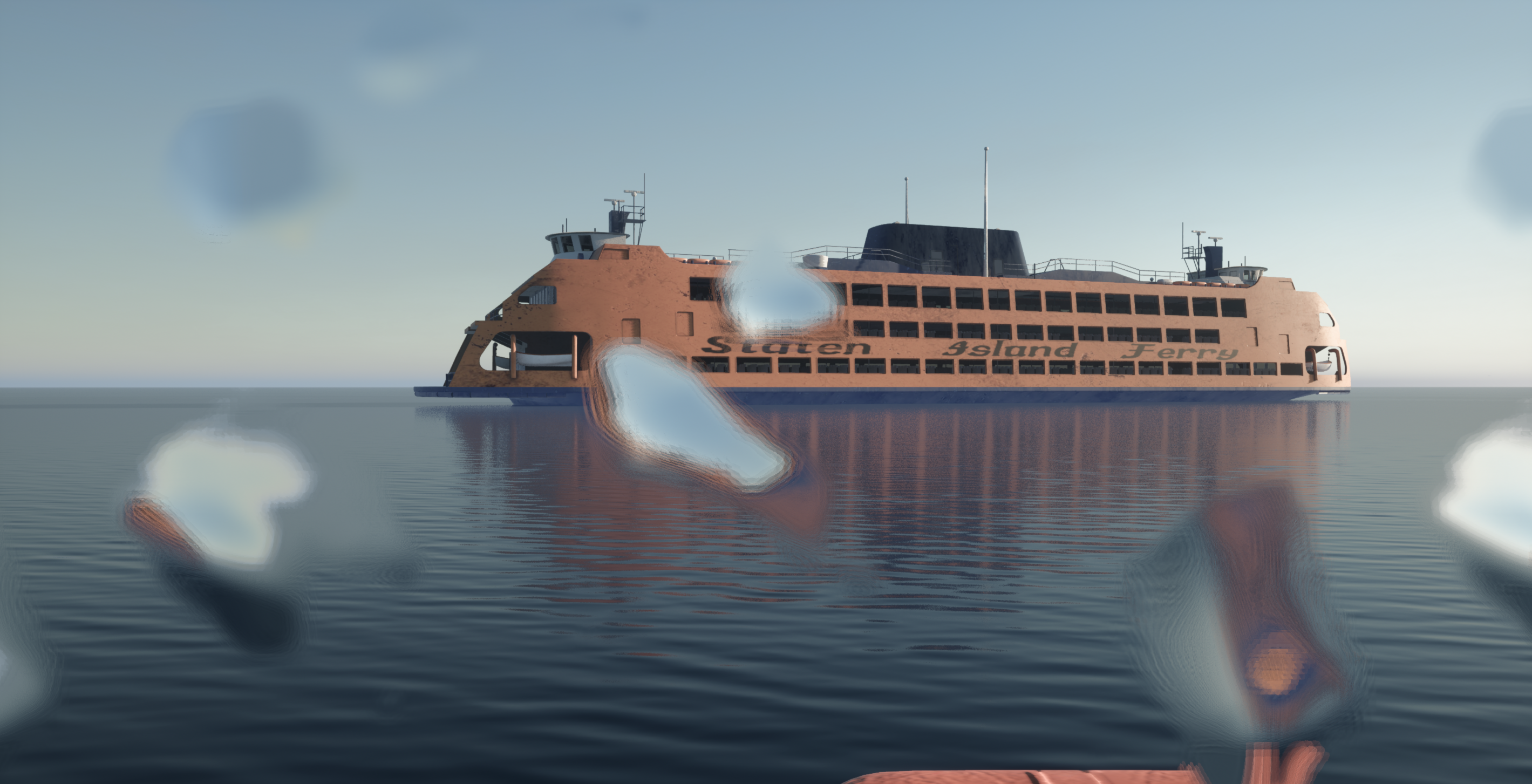
VERY_LARGE — Very large droplets on the camera lens
Rain intensity
Rain intensity controls the amount of rain particles in the scene.
# Set rain intensity (0.0 to 10.0)
world.env.weather.set_rain_intensity(5.0)
Screen droplet presets
Screen droplets simulate water droplets on a camera’s lens. Because the effect belongs to
the sensor rather than the world, it is set per camera — in multi-camera scenes each
camera carries its own droplets. You can apply a preset to quickly set a desired level of
droplet coverage using ScreenDropletsPreset.
world.camera.screen_droplets.set_preset(ScreenDropletsPreset.HEAVY)
No droplets on the camera lens |
|
Small droplets on the camera lens |
|
Small running droplets on the camera lens |
|
Large running droplets on the camera lens |
|
Very large droplets on the camera lens |
Note
Setting a new screen droplet preset resets any fine-grained overrides you may have applied to that camera. If you want to customize individual droplet parameters, apply the preset first and then set the overrides.
Deprecated since version The: world.env.weather.set_rain_screen_droplets* methods are deprecated and have no
effect. Screen droplets moved to individual cameras: use camera.screen_droplets
instead.
Fine-grained droplet control
For more precise control, you can override individual droplet parameters on top of a preset.
Method |
Description |
|---|---|
|
Controls the blur intensity of droplets on the lens. A value of Range: |
|
Controls how quickly droplets scroll vertically across the screen. Negative values scroll downward, positive values scroll upward. Range: |
|
Sets the horizontal starting position of the droplet pattern on the screen. Range: |
|
Sets the vertical starting position of the droplet pattern on the screen. Range: |
|
Controls the intensity of drip streaks running down the lens. Range: |
|
Controls the size of the droplets on the screen. Range: greater than |
# Start with a preset
world.camera.screen_droplets.set_preset(ScreenDropletsPreset.MEDIUM)

# Override specific parameters
world.camera.screen_droplets.set_blur(0.5)
world.camera.screen_droplets.set_speed(-0.3)
world.camera.screen_droplets.set_drips_intensity(1.5)
Animating rain and droplets
Rain and droplet parameters can be animated through scenario keyframes, allowing them to vary across frames. Rain intensity is keyframed on the weather, while droplet parameters are keyframed on the camera they belong to.
world.env.set_preset("rainy_a")

scenario = world.new_scenario(num_frames=10)

for frame_idx in range(scenario.num_frames):
    scenario.set_keyframe(
        world.env.weather,
        frame_idx,
        rain_intensity=rng.uniform(2, 8),
    )
    scenario.set_keyframe(
        world.camera,
        frame_idx,
        screen_droplets=rng.choice(list(ScreenDropletsPreset)),
        screen_droplets_blur=rng.uniform(0, 0.5),
        screen_droplets_speed=rng.uniform(-0.5, 0),
    )
Tip
When randomizing rain, pair rain_intensity with a matching screen_droplets preset
to keep the visual effect consistent. For example, higher rain intensities look more natural
with HEAVY or VERY_LARGE droplet presets.